Best Channel Letter 3D Printers 2026
Published Updated
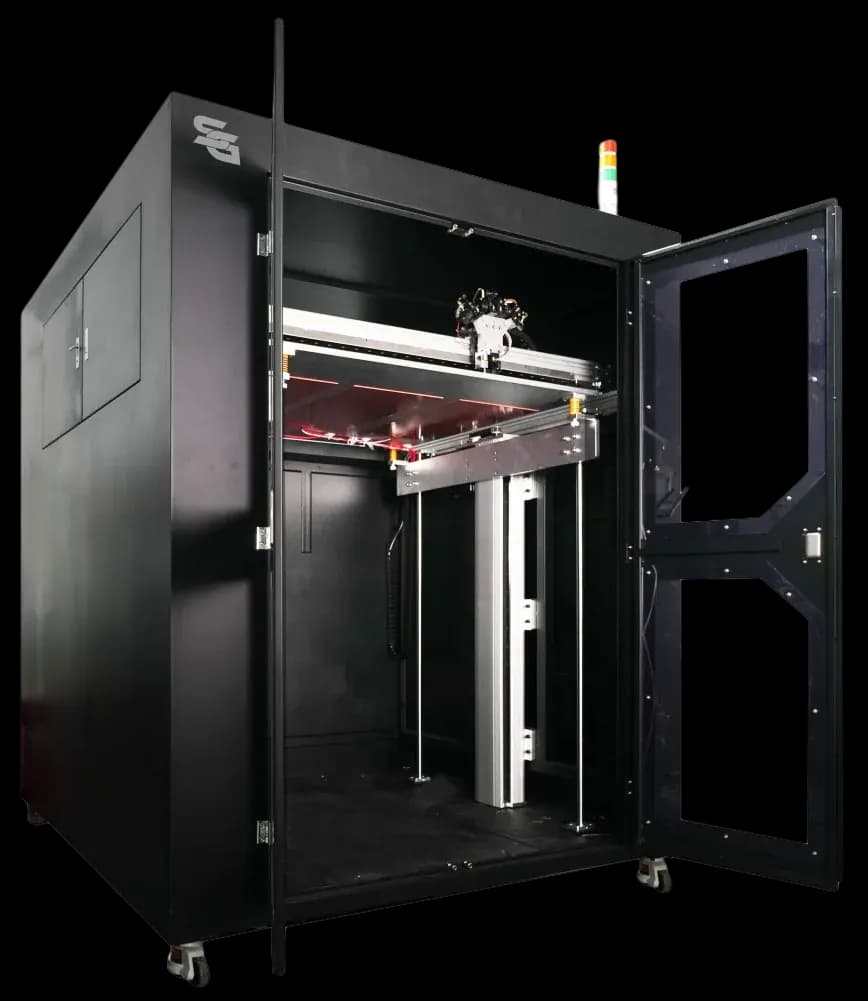
Choosing the right channel letter 3D printer depends on what you’re producing, how fast you need to produce it, and how much finishing you want the machine to handle for you.
We build six models across three capability tiers, each available in 80×80cm and 120×120cm build sizes, so there’s a specific machine for shops just getting started and for high-volume, multi-colour production. This guide compares them all side by side.
Full Comparison Table
| Model | Sculptural build (13cm depth) | Colour capacity | Integrated UV curing | Best for |
|---|---|---|---|---|
| Ultra | – | 3 colours | – | Getting started with automated channel letter production |
| Pro Ultra | – | 3 colours | Yes | Shops that want a production-ready cured acrylic finish without a manual step |
| L1S | Yes | 3 colours | – | Faster production and sculptural/dimensional pieces beyond flat letters |
| L1S Pro | Yes | 3 colours | Yes | Sculptural, multi-colour work that also needs a cured acrylic finish |
| L2S | Yes | 4 colours | – | Maximum colour flexibility on sculptural and signage work |
| L2S Pro | Yes | 4 colours | Yes | Our flagship – full colour flexibility, sculptural capability, and cured finish in one machine |
(Each model is also available in an 80×80cm build size for smaller workshops – sizes are selectable on each product page.)
Which Model Should You Choose?
Just need reliable, automated channel letters? Start with the Ultra. It’s the simplest way to replace manual cutting and welding with one-click production.
Want a smoother, cured acrylic face without extra finishing work? Choose Pro Ultra – same core machine as the Ultra, with integrated UV curing built in.
Producing more than just flat letters, or need to work faster? The L1S adds a deeper 13cm build for sculptural and dimensional pieces, plus faster print speeds and a 3-colour integrated filament dryer.
Want that speed and sculptural capability with a cured finish too? L1S Pro combines the L1S with integrated UV curing.
Need the widest colour range for detailed multi-colour work? The L2S upgrades to a 4-colour integrated dryer, on top of everything the L1S offers.
Want everything? The L2S Pro is our flagship – 4-colour capability, 13cm sculptural build depth, and integrated UV curing all in one machine.
Build Size: 80×80cm or 120×120cm?
Every model above is available in either size. As a rough guide: 80×80cm suits smaller workshops and lower-volume runs, while 120×120cm is built for larger letters and higher-throughput production. Pick the build size on the model’s product page – it won’t change which features the machine has, only the build plate size.
FDM vs UV-acrylic systems
You’ll also come across UV-acrylic signage systems as an alternative production route. Each approach has its place, and the right one depends on the finishes you want to offer and how you work. We compare the two in detail in our post on FDM signage printers versus UV-acrylic systems.
The SG 3D Printers range at a glance
For sign makers, here’s how the SG range maps onto the criteria above:
| Machine | Best for | Build size | Price (from) |
|---|---|---|---|
| SG-S 3D Ultra | The entry point for most sign shops | 80 × 80 cm | £3,900 |
| SG-S L2S Pro | Larger letters and higher volume | 120 × 120 cm | £8,800 |
| SG-P556 T | Larger-scale industrial / sculpture work | Industrial | £6,000 |
| SG-INT P1000 | The most demanding, high-volume work | Large-scale | £11,600 |
Every SG machine ships as a complete kit – printer, filament drier in some models, parts and wiring, maintenance tools, on-site UK training, locally stocked spares and a 2-year warranty. Full details are in our price guide.
Your buyer’s checklist: 10 questions before you buy
Use these when comparing any channel-letter 3D printer – not just ours:
- Does the build size fit my typical letter sizes and volumes, with some headroom?
- Can it produce the lighting effects my clients want – front-lit, halo, side-lit, RGB, liquid/sheet-acrylic faces, infinity mirror?
- How does artwork become a printed letter, and how much 3D skill does it take?
- Can it run unattended/overnight, and can one person manage several machines?
- What does it cost to run – electricity and filament per letter?
- What materials does it use, and is a signage-grade material available?
- Is it assembled and supported in the UK, with locally stocked spares?
- Is training included, and how quickly will my team be productive?
- What warranty is provided?
- Are finance or leasing options available?
Want this as a one-page PDF to take into your decision?
Download the buyer's checklist here
Frequently asked questions
What is the best channel-letter 3D printer? There’s no single best machine – it’s the one that fits your work, team and budget. Judge it on build size, software and ease of use, automation, material and lighting compatibility, running costs, local support and warranty, and finance options.
What size channel-letter 3D printer do I need? An 80 × 80 cm machine suits most shopfront and feature letter work. Step up to 120 × 120 cm if you regularly produce larger letters or want higher throughput.
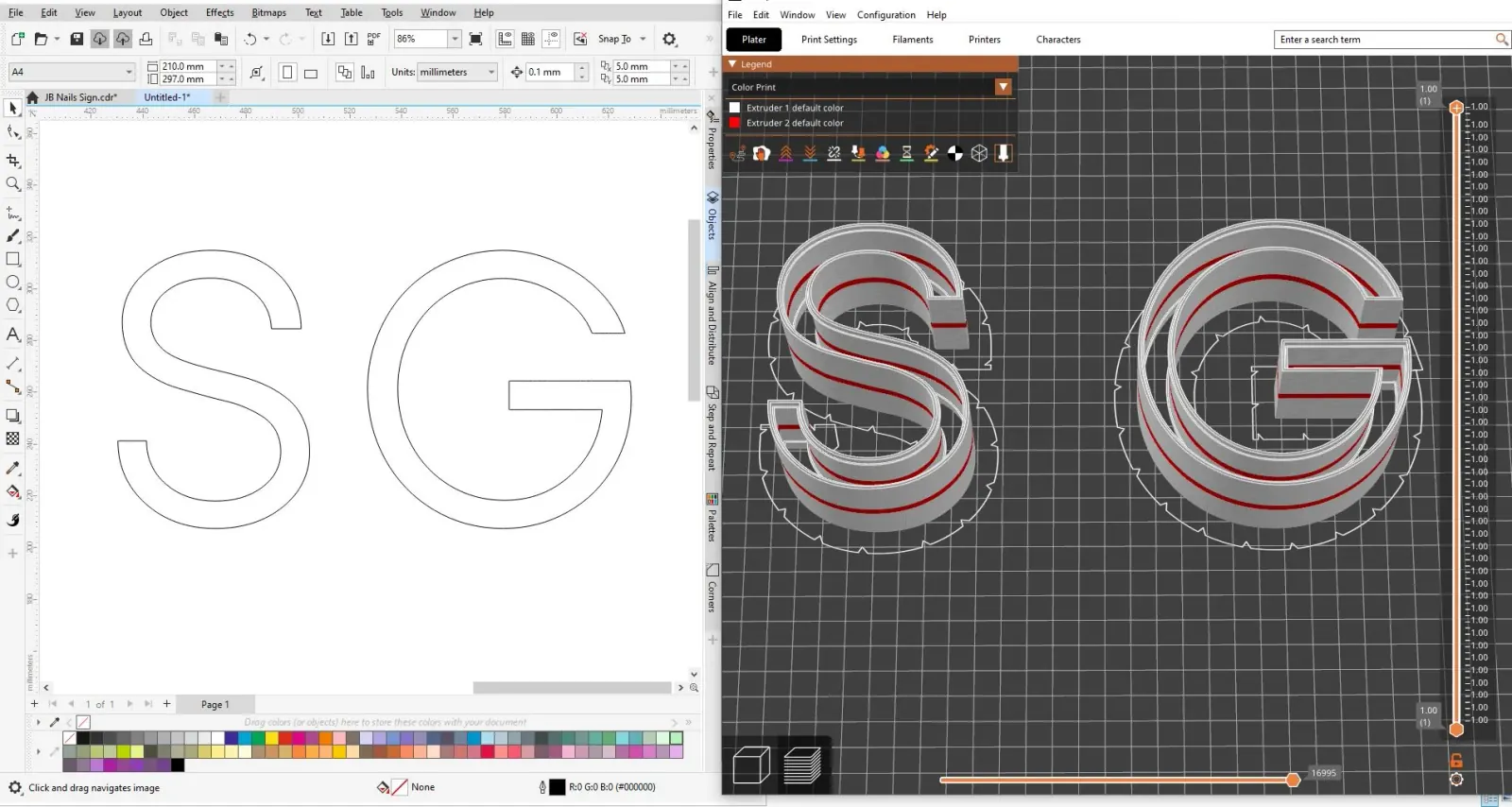
Do I need 3D-printing experience to use one? Not with the right machine. SG printers use one-click 3D file generation from vector artwork and one-button operation, so a sign maker can run them – and on-site UK training is included.
How much does a channel-letter 3D printer cost? SG channel-letter printers start at £3,900 (SG-S 3D Ultra) and go up to £8,800 (L2S Pro), with larger industrial machines from £6,000. See our price guide for what’s included.
Why does local support matter so much? Because downtime is lost revenue. A UK-assembled machine with locally stocked spares and a warranty keeps you producing – distant overseas support can turn a small fault into a long, costly delay.
What’s the difference between the Ultra and Pro Ultra? Pro Ultra adds integrated UV curing for liquid acrylic faces. Everything else is the same.
What’s the difference between L1S and L2S? L2S has a 4-colour integrated filament dryer, versus 3 colours on the L1S. Both share the same speed and 13cm sculptural build depth.
Do I need the “Pro” UV curing feature? If you currently finish acrylic faces manually after printing, integrated UV curing saves that step and gives a more consistent result. If you don’t work with acrylic faces, the non-Pro models cover everything else you need.
Compare the range for your shop
The best way to choose is to see the machines against your own work. Compare the SG range or book a demo and we’ll help you pick the right one – not the most expensive one. To run the numbers first, start with our price guide and ROI breakdown.