Best 3D Printers for Beginners 2026: UK & Europe Guide
Published Updated
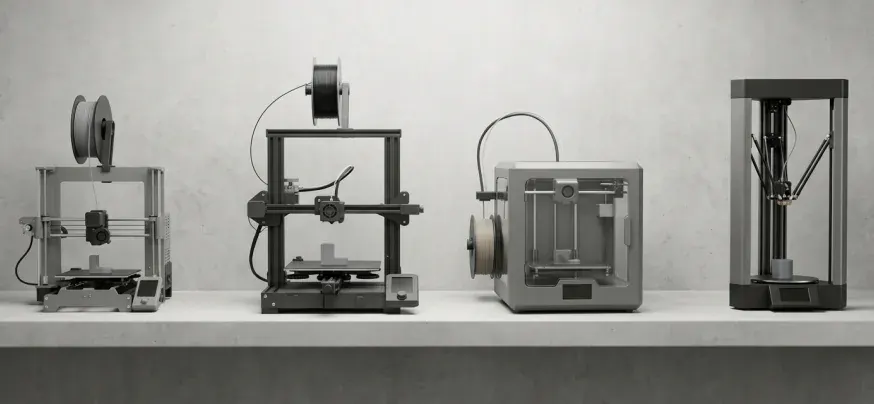
- Best overall beginner 3D printer (2026): Bambu Lab A1 Mini – pre-assembled, auto-levels, prints quickly and quietly. From around £249 in the UK.
- Best budget pick under £200: Creality Ender 3 V3 SE – bigger build volume, auto-levelling, well-supported community.
- Best step up: Bambu Lab A1 (full-size) – same ease-of-use as the Mini with a larger 256×256×256 mm build plate.
- Best enclosed beginner-friendly option: Elegoo Centauri Carbon – a Core XY at a bedslinger price.
- Skip: any sub-£120 unbranded printer. The few pounds you save will be paid back in failed first layers.
Why getting your first 3D printer right actually matters
Most people who give up on 3D printing do so in the first month, not because the technology is hard, but because their first printer fought them. A 2024 wave of beginner-focused machines from Bambu Lab and Creality has effectively ended the era of “build it yourself, level the bed yourself, hope for the best.” For buyers in the UK and across Europe in 2026, choosing a beginner 3D printer is less about finding the cheapest model and more about avoiding the small handful of friction points – manual bed levelling, fiddly slicer setup, and inconsistent first layers – that historically caused new users to walk away.
This guide is written specifically for the UK and European market. Prices are in GBP and EUR, all picks are available through European fulfilment (so no import VAT surprises), and every recommendation has UKCA/CE certification.
What makes a 3D printer “beginner-friendly”? The 5 features that matter
If you read nothing else in this article, read this. A good entry-level 3D printer in 2026 should have all five of the following:
- Fully automatic bed levelling – the printer measures the print bed itself before every print. No paper-strip dance.
- Direct drive extruder – better filament control, easier to print flexibles like TPU.
- Removable PEI-coated spring steel build plate – prints pop off by flexing the plate; no scrapers, no scratched fingers.
- A well-developed slicer – the software that turns 3D models into printer instructions. Bambu Studio, PrusaSlicer and Cura are the three slicers worth your time.
- An active community and parts supply in your region – broken extruder gear at 11pm on a Sunday is a much smaller problem when replacements ship from within the UK or EU.
For independent test verdicts, the consumer organisation Which? publishes UK-focused beginner 3D printer reviews, and TechRadar’s tested round-up and Tom’s Hardware’s annual list are the two most-cited international benchmarks.
The 6 best 3D printers for beginners in the UK & Europe (2026)
1. Bambu Lab A1 Mini – Best Overall Beginner 3D Printer
Build volume: 180×180×180 mm · Max speed: 500 mm/s · Price: from ~£249 / ~€289
The A1 Mini is the printer to beat in 2026. It ships almost fully assembled, setup to first print is typically under 20 minutes. Calibration is fully automatic, including bed mesh, vibration compensation and pressure advance. The companion app, Bambu Handy, lets you start prints from your phone, and the model library MakerWorld offers thousands of one-click print profiles. The main caveat is the small 180 mm build cube – fine for tools, toys and most prototypes, but not for cosplay helmets.
Buy because: you want it to “just work.”
2. Creality Ender 3 V3 SE – Best Budget 3D Printer Under £200
Build volume: 220×220×250 mm · Max speed: 250 mm/s · Price: from ~£169 / ~€199
The legendary Ender 3 line, brought into the modern era. The V3 SE has a direct-drive extruder, dual Z-axis lead screws, and CR-Touch auto-bed levelling. It still requires light assembly (15–25 minutes), but instructions are clear and the worldwide community is enormous. If you want the biggest build volume for the smallest spend, this is the right printer. Creality’s UK store store.creality.com/uk ships from European warehouses.
Buy because: you want maximum print size for minimum money, and don’t mind a small amount of tinkering.
3. Bambu Lab A1 – Best Step Up From Mini
Build volume: 256×256×256 mm · Max speed: 500 mm/s · Price: from ~£329 / ~€379
The full-size A1 is the A1 Mini’s bigger sibling – same ease-of-use, larger build plate, and optional AMS Lite for four-colour printing. If you can stretch the budget and think you’ll print larger models, the A1 is the more future-proof choice.
Buy because: you want headroom to grow without re-buying in a year.
4. Creality Ender 3 V3 KE – Best for Tinkerers
Build volume: 220×220×240 mm · Max speed: 500 mm/s · Price: from ~£239 / ~€279
The V3 KE runs an open-source flavour of Klipper firmware, which means you can dive into custom configs, use third-party slicers, and remotely control the printer with browser-based interfaces like Mainsail. This is the printer for the beginner who already knows they want to learn the deep mechanics of the hobby.
Buy because: you want a learning platform, not a sealed appliance.
5. Elegoo Centauri Carbon – Best Enclosed Beginner Printer
Build volume: 256×256×256 mm · Max speed: 500 mm/s · Price: from ~£289 / ~€329
An enclosed Core XY 3D printer at a bedslinger price was almost unthinkable two years ago. The Centauri Carbon prints PLA, PETG, ABS, ASA and TPU, with the enclosure helping to print warp-prone materials reliably. Setup is slightly more involved than the A1 Mini, but the print quality and material flexibility are exceptional for the money. Elegoo’s European storefront ships from eu.elegoo.com.
Buy because: you want to print engineering materials (ABS, ASA) from day one.
6. Original Prusa MINI+ – Best European-Made Option
Build volume: 180×180×180 mm · Max speed: 200 mm/s · Price: from ~£429 / ~€459 (kit) or ~£499 / ~€549 (assembled)
Prusa Research, based in Prague, is the European 3D printing brand. The MINI+ is slower and more expensive than the Bambu A1 Mini, but you get genuinely outstanding European customer support, repairable open-source hardware, and a printer that will still be receiving firmware updates a decade from now. Prusa’s slicer PrusaSlicer is widely considered the gold standard.
Buy because: you value European manufacturing, long-term support and open-source values over raw speed.
At-a-glance comparison
| Printer | Build Volume | Top Speed | Auto-Level | Approx UK Price | Best For |
|---|---|---|---|---|---|
| Bambu Lab A1 Mini | 180³ mm | 500 mm/s | Yes (full) | £249 | Pure ease of use |
| Creality Ender 3 V3 SE | 220×220×250 mm | 250 mm/s | Yes (CR-Touch) | £169 | Budget, large prints |
| Bambu Lab A1 | 256³ mm | 500 mm/s | Yes (full) | £329 | Bigger A1 Mini |
| Ender 3 V3 KE | 220×220×240 mm | 500 mm/s | Yes (CR-Touch) | £239 | Klipper tinkerers |
| Elegoo Centauri Carbon | 256³ mm | 500 mm/s | Yes | £289 | Enclosed Core XY |
| Prusa MINI+ | 180³ mm | 200 mm/s | Yes | £429 | European support |
What UK and European buyers should check before clicking “buy”
1. Plug type and certification
Only buy from regional storefronts – Bambu Lab EU, Creality UK, Elegoo EU, Prusa EU. You’ll get the correct BS 1363 (UK) or Schuko (continental Europe) plug, the correct mains transformer, and UKCA/CE compliance markings required by retailers and insurers.
2. Import VAT and customs
Post-Brexit, ordering a 3D printer directly from China or the US into the UK almost always triggers VAT and a handling fee. Sticking with EU/UK warehouses removes the surprise.
3. Filament availability
Quality PLA in the UK and Europe costs £15–£25 per kilogram from reputable brands like Prusament, Bambu Lab PLA Basic, Polymaker and Sunlu. A 1 kg spool prints roughly 300 small objects.
4. Power costs
An entry-level FDM 3D printer draws 100–150 W during a print – about the same as a games console. At 2026 UK electricity rates, a 6-hour print costs roughly 20–25 pence. Power is not a meaningful running cost.
5. Where to actually buy in the UK
The reliable retail routes in 2026 are: the manufacturer’s regional store (Bambu Lab EU, Creality UK, Prusa3d.com, eu.elegoo.com, anycubic.com), Amazon UK for next-day delivery on common models, and specialist UK distributers such as SG 3D Printers – which is also where you’ll find the industrial side of the business when you eventually graduate to 3D signage and built-up letter printers for commercial work.
What to print first
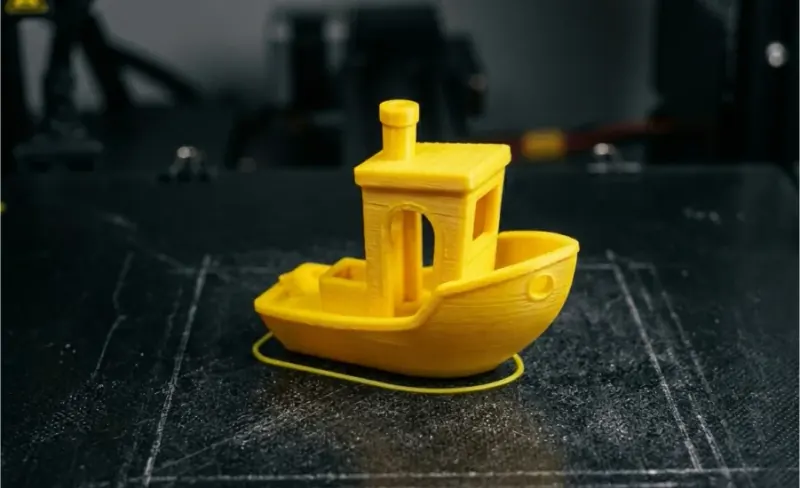
After your first calibration cube, the standard rite of passage is the #3DBenchy – a small tugboat designed to stress-test overhangs, bridging and fine detail. From there, the largest free model libraries are Printables (run by Prusa), MakerWorld (run by Bambu Lab), Thingiverse (the original), and Thangs. All four are free.
For tutorials and troubleshooting, All3DP is the most consistently useful written resource, and the r/3Dprinting subreddit is the fastest place to get a “why is my print doing this?” diagnosed. For a foundational understanding of the underlying technology, the Wikipedia entry on Fused Filament Fabrication is surprisingly thorough.
Frequently asked questions
What is the best 3D printer for a complete beginner in 2026?
The Bambu Lab A1 Mini is the consensus best beginner 3D printer in 2026. It is almost fully pre-assembled, fully self-calibrating, and produces print quality on par with machines twice its price. For tighter budgets, the Creality Ender 3 V3 SE is the strongest sub-£200 option in the UK.
How much should a beginner spend on a first 3D printer?
£200–£400 is the sweet spot in the UK and Europe in 2026. Below £150, you are likely buying a kit that needs significant manual setup. Above £500, you are paying for features (multi-material, enclosed Core XY, dual extruders) that beginners do not yet need.
Are 3D printers safe to run at home?
Yes, with sensible precautions: print in a ventilated room, never leave a printer running while you sleep until you trust it, and use a smoke alarm in the same room. PLA is non-toxic and food-contact safe in its raw filament form. Resin printers require extra ventilation and gloves.
What’s the difference between FDM and resin 3D printers?
FDM (Fused Deposition Modelling) printers melt plastic filament and lay it down layer by layer – these are what every recommendation in this guide is. Resin (MSLA) printers cure liquid photopolymer with UV light and produce far finer detail, but require post-processing in IPA and a UV curing station. FDM is the right starting point for almost everyone.
Do I need a computer to use a 3D printer?
You need one once, to install the slicer (Bambu Studio, PrusaSlicer or Cura). After that, modern printers can pull models directly from cloud libraries or your phone. A laptop is not required for ongoing use.
How long does a typical 3D print take?
A keychain takes 15–30 minutes. A coffee cup-sized object takes 2–4 hours. A large vase or helmet can take 12–24 hours. The modern Bambu Lab and Creality machines have cut these times roughly in half compared to printers from 2022.
The bottom line
For 95% of new 3D printer buyers in the UK and Europe in 2026, the answer is one of two machines: the Bambu Lab A1 Mini if you want the easiest possible start, or the Creality Ender 3 V3 SE if you want the best print volume per pound. Both will have you producing real, usable prints on the day they arrive – which is the only metric that actually matters for a first printer.
Once you’ve outgrown a benchtop machine and are ready to move toward production work, signage, or running 3D printing as a business, that’s the territory where SG 3D Printers picks up – with industrial built-up 3D letter printers, sculpture printers, production filament, and UK-based technical support.